 |
|
|
|
|
|||
|
PlotCalc:
30.09.2026
PlotCalc 2026.09.30 [more..]
[all list] |
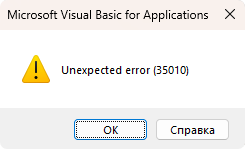
Utility for fixing error 35010 If the "Unexpected error (35010)" error occurs periodically when using PlotCalc, download and run the Fix35010.exe utility (4.34 MB) This utility will replace the VBE7.DLL library with a stable version. Administrator privileges are required to run the utility. If the utility fails to replace the library, you can do it manually by following the instructions below.
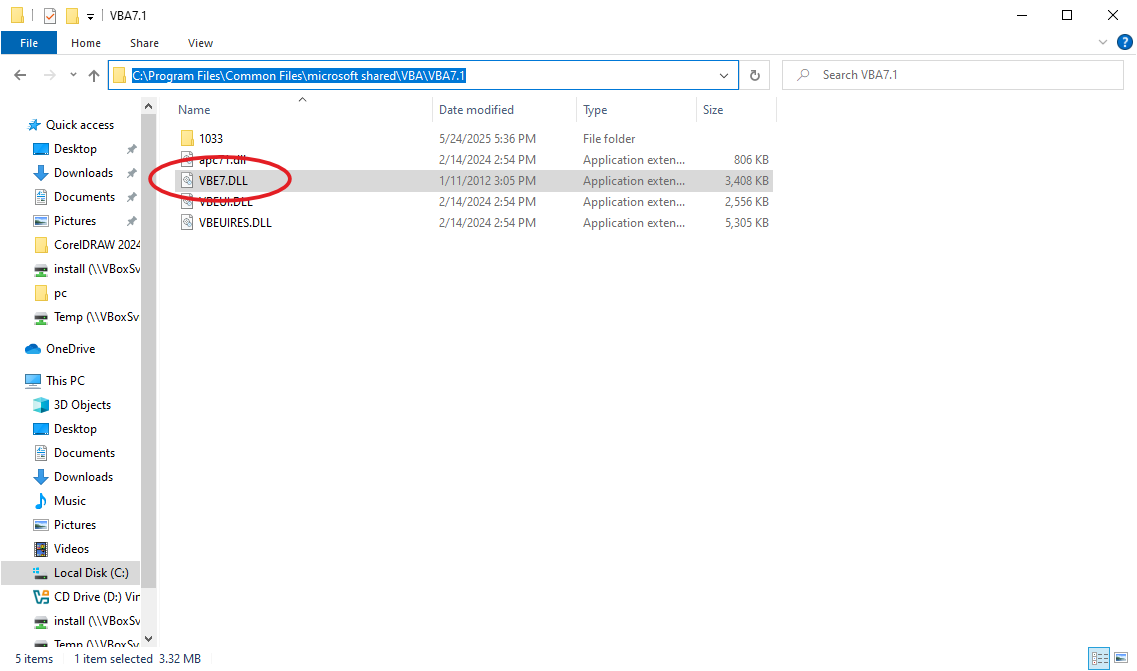
Replacing VBE7.DLL manually Step 1: Close CorelDRAW Step 2: Find the VBE7.DLL file. It is usually located at C:\Program Files\Common Files\microsoft shared\VBA\VBA7.1\
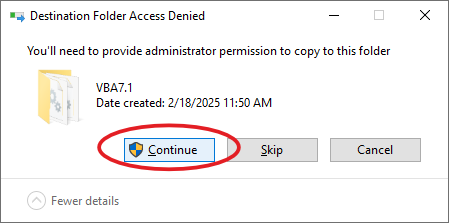
``` Step 3: Download VBE7.DLL (4.28 MB) and replace the existing VBE7.DLL file with it (administrator privileges are required)
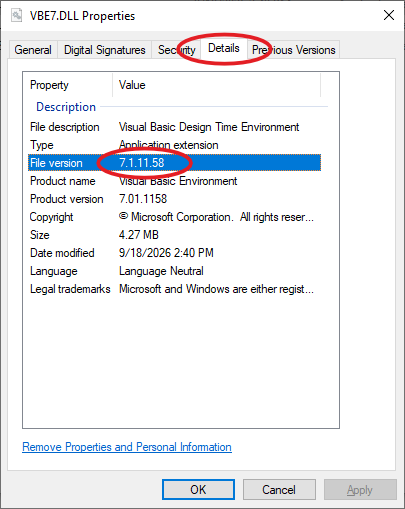
Step 4: To verify the file, right-click VBE7.DLL and open its properties. Check the file version. It should be: 7.1.11.58
Step 5: You can now open CorelDRAW and use PlotCalc without error 35010 |
||||||||||||
|
|||||||||||||